


Switch Between Popular Threads Image Sizes
No need to enter the width and height manually. Choose from four popular Threads social media image sizes—4:5, 1:1, 9:16, and 1.91:1—and apply your preferred aspect ratio in a click.


Import image & size settings
Click or drag to add an image
Threads supports flexible aspect ratios — these are popular sizes, not official requirements.
Other cropping tools
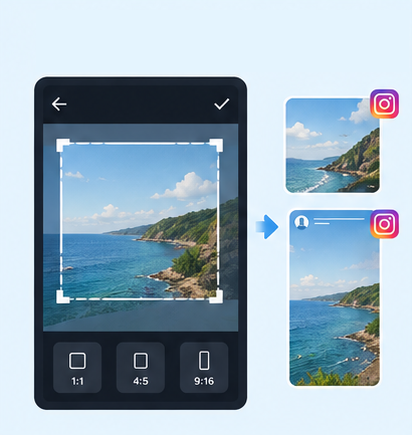
IG Post/Story Resize
Shopee Main/Product Image
2-Inch ID Photo
Passport Photo
Resume Photo
IG Grid Maker
Multi-Platform Resizer
LINE Rich Menu
YouTube Thumbnail & Banner Resizer
Facebook Image Resizer
LinkedIn Profile/Banner Resizer
Amazon Product Image Resizer
Shopify Product Image Resizer
Etsy Image Resizer
eBay Product Image Resizer
Rakuten Product Image Resizer
Mercari Product Image Resizer
Image Compressor
Image Format Converter
Image Watermark
Add Border to Image
Photo Collage Maker
Image Mosaic
Blur Faces
Blur License Plates
GenApe’s online Threads image resizer lets you adjust photo dimensions and aspect ratios without installing any AI tools. Crop images to popular Threads sizes for free, with no watermark or login required. All image processing takes place locally on your device.
| Image type | Aspect ratio | Output dimensions (W × H) | Best for |
|---|---|---|---|
| Portrait post | 4:5 | 1080×1350px | Portraits and everyday photos |
| Square | 1:1 | 1080×1080px | Product photos and carousel graphics |
| Full-height portrait | 9:16 | 1080×1920px | Event posters and vertical promotional graphics |
| Landscape | 1.91:1 | 1200×628px | Landscapes, group photos, and wide images |
| Profile picture | 1:1 (circular crop) | 320×320px (minimum) | Threads profile photos and avatars |
Made for Threads, this free online tool makes it easy to resize images without complicated settings. Pick a popular Threads image size and fine-tune the crop to keep your photos looking their best.
No need to enter the width and height manually. Choose from four popular Threads social media image sizes—4:5, 1:1, 9:16, and 1.91:1—and apply your preferred aspect ratio in a click.
After choosing an output ratio, use the image scale slider to zoom in or out, then drag the crop box to focus on the most important part of your photo. Keep your subject in frame while adjusting the image for Threads.
As you change the dimensions or zoom level, the preview updates to show the area that will be kept. Check your crop before posting to avoid losing important details around the edges. You can also use our Instagram grid maker to create more eye-catching social posts.
No sign-up or login is required. Once your photo is cropped, download it right away without a watermark, ready to use in your social media posts.
Click the image upload area or drag a photo into the tool. For the clearest results, use a high-quality original rather than an image that has been repeatedly shared or enlarged.
Select one of the four preset aspect ratios based on your post, then use the scale slider to zoom in or out. Check the preview to make sure the subjects you want to show remain inside the crop area.
Once the crop looks right, click Download to save a high-quality image to your device, ready to share on Threads.

At 1080×1350px, the 4:5 portrait format takes up plenty of space on a phone screen. It works well for outfits, selfies, and everyday moments, helping your photos stand out as people scroll.

The 1:1 square format is 1080×1080px and works well for product launches, brand announcements, key takeaways, and carousel graphics. It is also widely used across social platforms. If you want to share the same product catalog or informational graphics on Threads and Instagram, a square image is a practical choice. See our Instagram post size tool for more options.

The 9:16 full-portrait format is 1080×1920px. It suits promotional posters for talks, exhibitions, markets, and other events. You can also reuse existing vertical short-video graphics and add the event details in your Threads post.

The 1.91:1 landscape format is 1200×628px, making it suitable for scenery, group photos, wide event visuals, and link preview thumbnails. When resizing a photo for Threads, this format helps retain a broader composition. You can also pair it with Threads photo-splitting effects for a more immersive presentation.
Threads supports different image dimensions rather than requiring just one size. For a good viewing experience, official guidance and many social media experts recommend 4:5 (1080 × 1350 px) or 1:1 (1080 × 1080 px), as these formats are less likely to get cropped in previews.
Yes. Threads and Instagram share many design conventions, so images formatted for Instagram posts at 1:1 or 4:5 can usually be shared on Threads without adjusting their aspect ratio again.
This tool changes the crop area and aspect ratio while preserving as much of the original resolution as possible. However, if the original image is very small, enlarging it during cropping may still make it look blurry.
Social platforms generally compress uploaded images. To help minimize quality loss, start with a clear original, keep the image width at least 1080px when using this tool, and upload the cropped file directly instead of repeatedly sharing or resaving it. If text or product details matter, open the image after posting to check how it looks. Make sure your internet connection is stable when uploading.
Currently, a Threads post can include up to 20 photos. If you combine photos and videos, the total limit is 20 media items. For a series of graphics, plan their order and check each image’s size and composition before posting.
AI Assistant Ayuan

Hi there! This is Ayuan speaking. I’m here to answer your questions.
How can I help you?
