IG Post/Story Resize
Quickly resize for IG posts, stories, and Reels
Import image & size settings
Click or drag to add an image
Other cropping tools
Threads Post Image
Shopee Main/Product Image

2-Inch ID Photo
Passport Photo

Resume Photo
IG Grid Maker
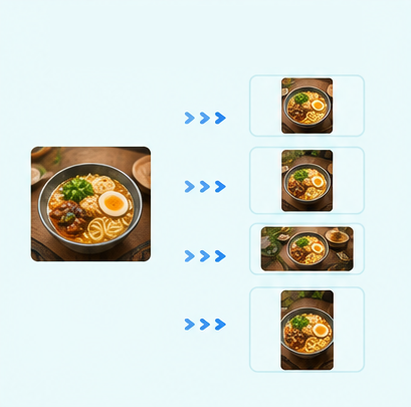
Multi-Platform Resizer
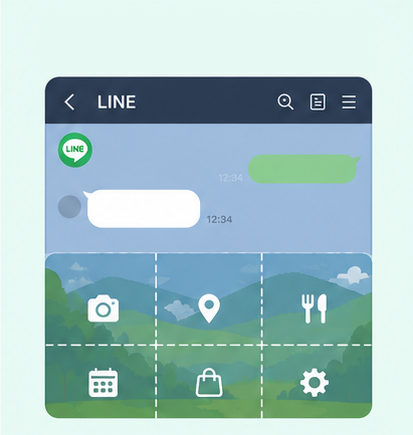
LINE Rich Menu
YouTube Thumbnail & Banner Resizer
Facebook Image Resizer
LinkedIn Profile/Banner Resizer
Amazon Product Image Resizer
Shopify Product Image Resizer
Etsy Image Resizer
eBay Product Image Resizer
Rakuten Product Image Resizer
Mercari Product Image Resizer
Image Compressor
Image Format Converter
Image Watermark
Add Border to Image
Photo Collage Maker
Image Mosaic
Blur Faces
Blur License Plates
Free Instagram Photo Resizer | Resize Images for Posts, Stories & Reels
Photo doesn’t fit Instagram and important details keep getting cropped? Use GenApe’s free Instagram photo resizer to upload your image, choose a preset for posts, Stories, or Reels, and preview the crop before downloading. No login or manual size settings required. Export the finished image as PNG or JPG.
Resize Instagram Images Without Setting Sizes Manually
No need to look up Instagram post sizes or calculate image ratios yourself. GenApe’s AI tools include common Instagram image sizes, so simply upload a photo, choose a preset, and crop it for posts, Stories, or Reels.
Crop with Presets for Different Instagram Image Sizes
Choose from common Instagram sizes for portrait, square, landscape, and 9:16 formats for posts, Stories, and Reels. You can also use the Instagram Grid Splitter when you want to create a grid layout. After selecting a size, adjust the image position and scale without entering width or height manually.
Resize Images for Instagram with No Login
Need to resize a photo for Instagram quickly? There’s no need to create an account or log in. Upload your image, choose an Instagram size, and adjust the crop area. For content across other platforms, you can also use the Social Media Post Size Tool to prepare images for different social media formats.
Download PNG or JPG for Free
Once you finish resizing your Instagram image, download it for free as a PNG or JPG. Whether you’re preparing an Instagram post, Story, or Reel cover, the cropped image is ready to use. You can also pair it with the Threads Image Resizer to prepare visuals for multiple social platforms more efficiently.
Resize Photos for Instagram in 3 Steps
No design software or manual width and height settings needed. Upload your photo to GenApe, choose an Instagram image size, adjust the crop area, and download the finished version in just a few steps.
Upload an Image
Choose the photo you want to resize and upload it to the tool. Product photos, portraits, event graphics, and everyday photos can all be cropped directly.
Choose an Instagram Image Size
Select the right size for an Instagram post, Story, or Reel, then adjust the image scale and position. The crop area updates instantly, making it easy to check whether people, products, or text will be cut off.
Preview the Crop and Download for Free
Once the composition and crop area look right, download the image for free as a PNG or JPG. Save the resized image and use it for Instagram posts, Stories, or Reels.
Supports Instagram Post, Story & Reel Sizes
Different Instagram formats use different image ratios. GenApe includes common Instagram image sizes, so you can select a preset and crop your photo without looking up ratios or entering dimensions manually.
| Instagram Format | Aspect Ratio | Size |
|---|---|---|
| Portrait Post | 4:5 | 1080 × 1350 px |
| 3:4 Post | 3:4 | 1080 × 1440 px |
| Square Post | 1:1 | 1080 × 1080 px |
| Landscape Post | 1.91:1 | 1080 × 566 px |
| Instagram Story | 9:16 | 1080 × 1920 px |
| Instagram Reels | 9:16 | 1080 × 1920 px |
Resize the Same Photo for Different Instagram Formats
The same image often needs different sizes depending on where you post it. GenApe lets you switch between Instagram post, Story, and Reel presets to preview each format and adjust the crop and composition as needed.

Ecommerce Product Photos
If your product photo is square, landscape, or another ratio, resize it to fit an Instagram post. Reposition the product within the frame to quickly prepare images for new product launches, promotional posts, or product showcases.

Social Media Managers
The same campaign or brand asset often needs to appear across different Instagram formats. Switch between post, Story, and Reel sizes to check how each crop looks and reduce the time spent resizing the same image repeatedly.

Brands and Local Businesses
Product launches, in-store events, and brand announcements often need to be shared across multiple Instagram formats. Resize existing promotional graphics to quickly prepare images for posts, Stories, or Reels.

Everyday Users
If Instagram keeps cropping people, pets, or scenery out of your photos, preview the crop first with the Instagram photo resizer. Adjust the image position and scale to keep important parts of the photo visible.

Content Creators
Portraits, travel photos, and lifestyle images may not match Instagram’s standard ratios. Preview the crop and adjust the scale to keep people, backgrounds, and key details within the frame.
Instagram Photo Resizer FAQ
Yes. Upload your photo, choose a preset for an Instagram post, Story, or Reel, then adjust the image position and scale. You can crop it to fit the Instagram format you need.
If Instagram cuts off people, products, or text, use GenApe to preview the crop for different Instagram photo sizes first. Reposition or scale the image until the important content stays within the frame, then download the finished version.
Yes. GenApe supports the 9:16, 1080 × 1920 px Reel format, so you can crop an image to a vertical size suitable for Reels. For a Reel cover, adjust the composition and subject position before downloading the image.
Yes. GenApe’s Instagram photo resizer requires no login. Simply upload an image, choose a size, preview the crop, and download the finished PNG or JPG for free.

