HEIC
Convert to JPG, PNG, or WebP
Convert images between HEIC, WebP, PNG and JPG
Upload image & choose output format
Click or drag to add an image
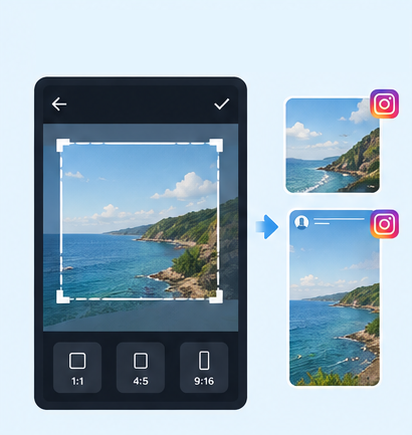
IG Post/Story Resize

Threads Post Image

Shopee Main/Product Image

2-Inch ID Photo
Passport Photo

Resume Photo
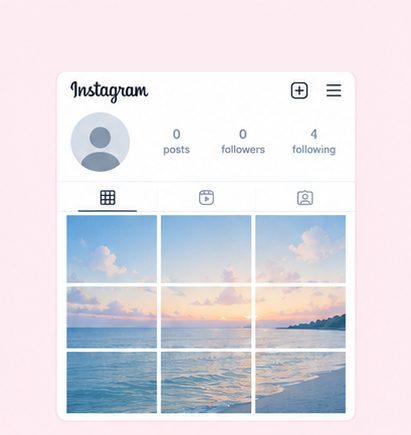
IG Grid Maker
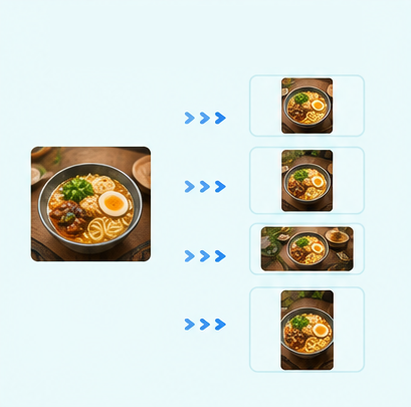
Multi-Platform Resizer
LINE Rich Menu

YouTube Thumbnail & Banner Resizer

Facebook Image Resizer

LinkedIn Profile/Banner Resizer

Amazon Product Image Resizer
Shopify Product Image Resizer
Etsy Image Resizer

eBay Product Image Resizer
Rakuten Product Image Resizer
Mercari Product Image Resizer
Image Compressor

Image Watermark

Add Border to Image

Photo Collage Maker

Image Mosaic

Blur Faces

Blur License Plates
Use GenApe's free image converter to convert HEIC, WebP, PNG, and JPG images to supported JPG, PNG, or WebP formats. No sign-up, login, or software installation is required. Simply upload your image, choose an output format, and convert it online.
GenApe's image format converter is ideal when you need to quickly change a photo or image file to another format. There is no software to download and no account to create. Upload your image, select the output format you need, and convert it online.
Convert images to JPG, PNG, or WebP without creating an account or signing in. GenApe offers a free image converter you can use directly from its AI tools, with no account setup required.
There is no need to install separate image conversion or image compression software. Open GenApe on your phone or computer to convert image formats online, whether you need to convert a mobile photo to JPG or change the format of an image stored on your computer.
GenApe supports popular image formats including HEIC, WebP, PNG, and JPG, and lets you convert them to supported JPG, PNG, or WebP outputs. Whether you have an HEIC photo from an iPhone or a WebP image from the web, you can handle the conversion with the same tool.
GenApe supports HEIC, WebP, PNG, and JPG image conversion, with JPG, PNG, or WebP available as output formats depending on the original file. Convert HEIC to JPG, PNG to JPG, WebP to PNG, and other supported formats directly online.
Convert to JPG, PNG, or WebP
Convert to JPG or PNG
Convert to JPG or WebP
Convert to PNG or WebP
Convert images with GenApe in just three steps. Upload your image, choose an output format, and download the converted file, all directly online.
Open the image converter and upload the HEIC, WebP, PNG, or JPG image you want to convert. You can then choose the available output format.
Select an output format based on your needs, such as HEIC to JPG, PNG to JPG, or JPG to WebP. The available conversion options are shown based on the original image format.
Confirm the output format and start the conversion. Once processing is complete, download the converted image without installing any additional image converter software.
Yes. GenApe's image converter is free to use and does not require payment or login. Simply upload an image and choose a supported JPG, PNG, or WebP output format to start converting.
Open GenApe's image converter on your phone, upload a photo from your gallery, select JPG as the output format, and start the conversion. Everything works online, so there is no need to download a separate image converter app.
Yes. GenApe can convert HEIC photos commonly used on iPhones to JPG, PNG, or WebP. Converting HEIC to JPG is useful when you need to use the photo on a website or platform that does not support HEIC files.
No. You do not need to create an account, log in, or install additional software to convert HEIC to JPG with GenApe. Upload your HEIC image, select JPG, and complete the conversion online.
JPG offers broad compatibility and is commonly used for photos. PNG supports transparent backgrounds and works well for icons and design assets. WebP is widely used for web images and can balance image quality with file size, while HEIC is commonly used for photos taken on Apple devices such as iPhones.
Yes. GenApe supports WebP to JPG and WebP to PNG conversion. If a platform does not support WebP, you can convert it to the more widely compatible JPG format, or select PNG when that format better fits your needs.
Image quality after conversion depends on the original image and the selected output format. For example, JPG uses lossy compression, so some quality differences may occur after conversion. Each format has different characteristics for image quality, file size, and use cases.
AI Assistant Ayuan

Hi there! This is Ayuan speaking. I’m here to answer your questions.
How can I help you?
