IG Grid Maker
Split one photo into 9 tiles for a seamless profile grid
Import image & size settings
Click or drag to add an image
Other cropping tools
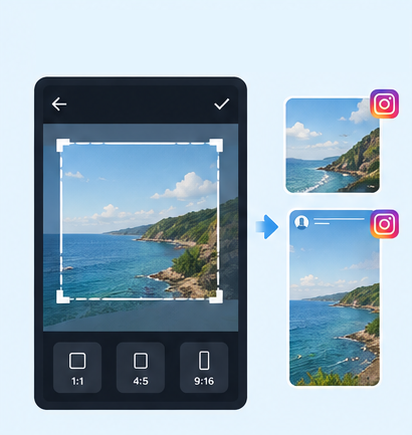
IG Post/Story Resize
Threads Post Image

Shopee Main/Product Image

2-Inch ID Photo

Passport Photo

Resume Photo
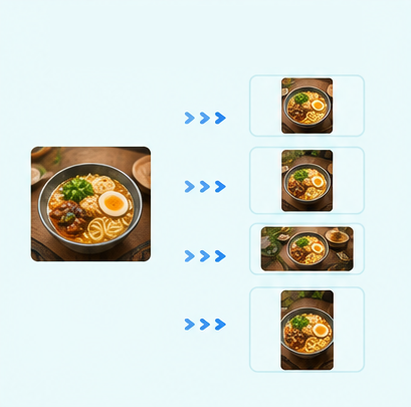
Multi-Platform Resizer
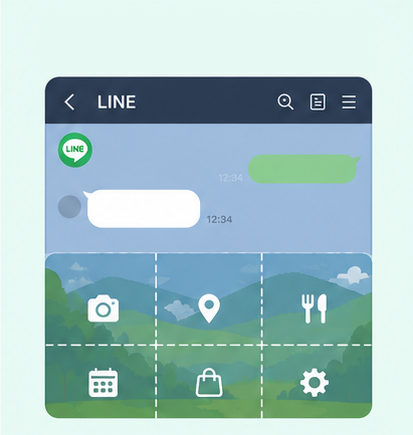
LINE Rich Menu
YouTube Thumbnail & Banner Resizer

Facebook Image Resizer

LinkedIn Profile/Banner Resizer

Amazon Product Image Resizer
Shopify Product Image Resizer
Etsy Image Resizer

eBay Product Image Resizer
Rakuten Product Image Resizer

Mercari Product Image Resizer
Image Compressor
Image Format Converter
Image Watermark
Add Border to Image
Photo Collage Maker

Image Mosaic
Blur Faces
Blur License Plates
Image Splitter for Instagram|Split Photos into a 3×3 Grid Online
Want to split one image into 9 photos for an Instagram grid layout? Use GenApe’s free tools to turn an image into a 3×3 grid and choose between square or vertical layouts. No installation or sign-up is required, and you can download the split images for free once they’re ready.

What Is an Instagram Grid Layout?
An Instagram grid layout splits one complete image into 9 photos arranged in a 3×3 grid. Once the images are posted in the correct order, the 9 individual posts come together as one large visual on your Instagram profile.
This layout is commonly used for brand campaigns, product launches, portfolio displays, and profile branding. An image splitter makes it faster to create an Instagram grid without manually calculating each crop, while keeping the overall Instagram post dimensions and layout more consistent.
Split an Image Online in 3 Steps
There’s no need to download separate photo-editing software. Simply upload your image, choose a layout, and split it with GenApe’s AI tools to create a 3×3 Instagram grid.
Upload Your Image
Upload the photo you want to use for your Instagram grid to start splitting the image online. For easier adjustments, choose a clear image with a complete composition and enough room around important subjects.
Choose a Layout and Adjust the Image Ratio
Choose a square or vertical grid layout based on how you want your Instagram profile to look. Adjust the image position and scale so people, products, text, and other important elements stay in the right areas.
Split the Image and Download for Free
Once the layout looks right, split the photo into 9 images in a 3×3 grid with one click. Download the completed Instagram grid images for free, then post them to Instagram in the correct order.
When to Use a 3×3 Instagram Grid
An Instagram grid works well when you want to strengthen your profile’s visual identity, give a key message more space, or highlight one campaign across multiple posts. Splitting a single visual into 9 connected images also helps visitors understand the full theme as soon as they open your Instagram profile.

Campaigns and Product Launches
Split a campaign visual, product image, or promotional creative into a 3×3 grid to give important messages more space on your profile. This works well for new product launches, limited-time campaigns, and major brand announcements.

Instagram Brand Visuals
Brands can use an Instagram grid layout to showcase a logo, tagline, campaign concept, or key visual across multiple posts, creating a more consistent brand presentation on the profile page.

Portfolios and Personal Brands
Designers, photographers, creators, and personal brands can turn featured work or key visuals into grid posts, making it easier to showcase a consistent style and strengthen visual recognition.

Local Businesses and Company Social Profiles
Restaurants, retailers, studios, startups, and company accounts can also use image splitting to highlight storefronts, services, product collections, or company events while keeping the Instagram grid visually consistent.
Things to Check Before Creating an Instagram Grid
Before splitting your image into an Instagram grid, check the composition and posting order first. This helps prevent important text or visual elements from being cut awkwardly across multiple posts.
Keep important text away from grid lines
Avoid placing headlines, logos, prices, or campaign details directly across the split lines, or they may become difficult to read once the image is divided into 9 posts.
Check faces and product placement
Keep faces, products, and other focal points away from image boundaries so they do not look awkwardly cut when the grid is displayed together.
Choose the image ratio first
Select a square or vertical grid before adjusting the image position, so important content does not fall outside the visible area after splitting.
Leave some space around the edges
Avoid placing key subjects too close to the image border to reduce the chance of important content being cropped in different display views.
Confirm the order of all 9 images before posting
Instagram grid images need to be uploaded in the correct sequence. Check the arrangement after downloading, then post each image in order.
Instagram Grid Splitter FAQ
A 1:1 grid works well for square compositions, while a 4:5 vertical grid keeps more vertical image space and is useful for portraits, products, and vertical campaign visuals. Both layouts can be split into a 3×3 grid, so you can choose based on the original image and the look you want to create.
No. Upload your photo to GenApe’s image splitter, choose a layout, and adjust the image position. The tool will automatically split the photo into 9 images, so you do not need to calculate each grid section yourself.
GenApe currently provides 1:1 square and 4:5 vertical grid layouts. You can choose the format that best fits the style of your posts. Keep in mind that Instagram profile grid previews currently use a 3:4 vertical format, so the visible area on your profile may differ slightly from the original image.
Brand visuals, campaign posters, product launch images, portfolios, and personal creative work can all work well as Instagram grids. Use a clear image with a strong focal point, and avoid placing people, products, or important text directly on grid boundaries.
Yes, but important information such as headlines, logos, prices, and key messages should ideally stay within a single grid image. Although the 9 posts form one complete visual on your profile, each image may also be viewed separately.
An Instagram grid layout splits one image into 9 posts that combine into a larger visual on your profile. A regular Instagram post layout is broader and can include the composition, colors, typography, and overall design style of individual posts. A 3×3 grid is one way to structure an Instagram feed.
GenApe’s image splitter currently supports 3×3 grids with 9 images. Three-post and six-post grid layouts are not currently available. To create an Instagram grid, you can choose either a square or vertical layout before splitting the image.

