




GenApeLogo
Close sidebar
  • Home
  • editIconTextApegradientUpIcon
  • AI Content WorkspaceUpgrade
  • imageIconImageApegradientUpIcon
  • AI Video Generator
    Popular
  • additionIconAdditiongradientDownIcon
  • Pricing
Blog
  • Sign up and get 200 free Credits!
    Back to list

    Amazon Product Image Resizer

    Quickly crop Amazon product images to the standard size

    Import image & size settings

    Click or drag to add an image

    Image scale%
    No image uploaded yet

    Click or drag to add an image

    Other cropping tools

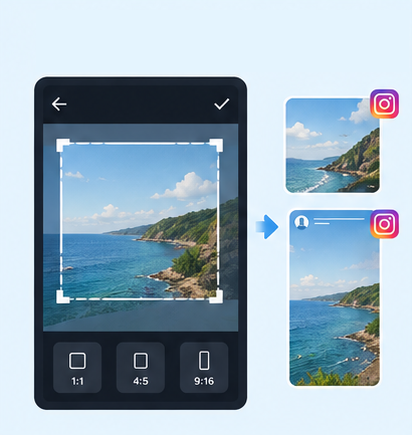
    IG Post/Story Resize

    9:164:53:41:11.91:1+3

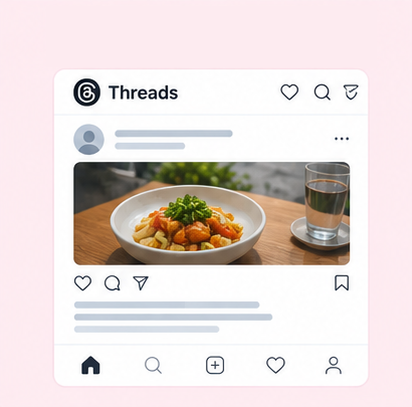
    Threads Post Image

    4:51:19:161.91:1+2

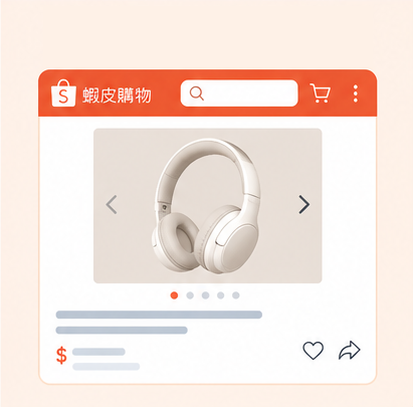
    Shopee Main/Product Image

    1:13:42.32:12:19:16+3

    2-Inch ID Photo

    3.5:4.5

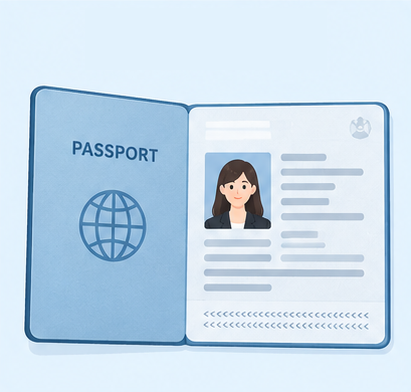
    Passport Photo

    3.5:4.5

    Resume Photo

    3.5:4.54:5

    IG Grid Maker

    1:14:5

    Multi-Platform Resizer

    LINE Rich Menu

    3:23:1

    YouTube Thumbnail & Banner Resizer

    16:99:161:1+1

    Facebook Image Resizer

    4:316:91:12.6:11.92:11.91:11:22:1+6

    LinkedIn Profile/Banner Resizer

    1:14:16:13:24:5+3

    Shopify Product Image Resizer

    1:116:9

    Etsy Image Resizer

    1:11.7:17.6:17.5:14:12:14:3+5

    eBay Product Image Resizer

    1:14.41:116:9+1

    Rakuten Product Image Resizer

    1:15.14:15:23:1+2

    Mercari Product Image Resizer

    1:1

    Image Compressor

    Image Format Converter

    Image Watermark

    Add Border to Image

    Photo Collage Maker

    Image Mosaic

    Blur Faces

    Blur License Plates

    Amazon Product Image Cropper | Resize & Crop Images Online

    Is your Amazon product image the wrong size for listing requirements, or is the product cut off after cropping? Use GenApe's free tool to resize and adjust your product image dimensions and aspect ratio online, with no software download needed. The tool offers a 1:1 square preset of 2000×2000 pixels and supports JPG, PNG, and WebP, helping sellers quickly meet Amazon product image requirements for main and additional images.

    Amazon Product Image Size Requirements Overview

    Amazon has specific platform rules covering image pixels, file formats, backgrounds, and how products are displayed. Main images (the first image) and additional images have different requirements. Check your image specs before uploading to avoid problems caused by insufficient size, an incorrect background, or incomplete cropping.

    Amazon Main Image Size and Format Requirements

    Amazon does not officially require a fixed aspect ratio for main images. The longest side should be at least 500 pixels, and 1000 pixels or more is recommended to support zoom. To keep product images consistent, you can use the common 1:1 square size, such as 2000×2000 pixels.

    Image specsAmazon image requirements
    Minimum image sizeLongest side at least 500 pixels
    Zoom view sizeLongest side at least 1000 pixels, 1600+ pixels recommended
    Maximum image sizeLongest side no more than 10000 pixels
    Recommended aspect ratio1:1 square, not mandatory
    Common product image sizes1600×1600, 2000×2000 pixels
    Image formatJPG, PNG, etc.; JPG recommended

    About Amazon Main Images and Additional Images

    What is a main image?

    The main image is the first photo shown on a product page. It is also the first product photo shoppers see in search results, and it mainly shows the product's appearance clearly.

    What is an additional image?

    Additional images can show lifestyle backgrounds, different angles, or close-up product details, helping shoppers better understand the product's features. They do not need a plain white background.

    Main image: pure white background

    In principle, main images must use a pure white background, not gray, off-white, or any other background color. If your original photo doesn't have a white background, use the AI background changer to replace it with pure white, then adjust it with the product image cropper.

    Main image: product takes up at least 85%

    1. The product should fill at least 85% of the main image and fully show the actual item for sale. Do not add promotional text, watermarks, decorative graphics, or unrelated information to main images, or the image may fail review.

    Why Choose the GenApe Tool?

    GenApe offers online Amazon product image size adjustment, with no complex photo editing software needed. Upload images, adjust ratios, and choose formats easily. It's ideal for e-commerce sellers making main product images and standardizing image sizes.

    No App Download

    You don't need to download a separate image cropping app. Open the GenApe tool and upload your image to start editing. Whether you're preparing a new listing or adjusting existing product photos, you can set the size directly in your browser.

    No Manual Pixel Entry

    The tool includes a built-in 1:1 product image preset of 2000×2000 pixels, so you don't have to calculate dimensions yourself to apply square product image specs quickly. For sellers standardizing Amazon product image sizes, this reduces repeated setup time.

    Works with the AI Product Image Generator

    No suitable product photo? Use GenApe's AI product image generator. Upload a product photo, enter a description, and create product scene images with different backgrounds and styles.

    For example, when making additional images, you can generate a lifestyle scene and then adjust it to a consistent display ratio. To use an image as a main image, confirm that the generated content meets Amazon's requirements for product authenticity and image background.

    JPG and PNG Support

    JPG works well for everyday product photos. PNG keeps more image detail, and WebP suits other web uses that need to balance quality and file size.

    To upload to Amazon, JPG or PNG is recommended since the platform supports them. Avoid file formats that don't meet upload requirements.

    Custom Aspect Ratio and Output Quality

    Beyond the preset product image sizes, the tool also offers image zoom and output format settings, so you can adjust how much of the product appears based on your original photo. For JPG or WebP, you can adjust output quality with the settings in the interface. PNG does not support the same quality compression setting.

    If you also sell on eBay, use GenApe’s eBay product image resizer to adjust product photos for the image requirements of each marketplace and prepare listings across platforms.

    Adjust Amazon Product Image Size in 3 Steps

    Use the GenApe Amazon product image cropper: upload your image, choose the size and format, then apply your settings and download. No extra image editing software is needed.

    Upload Product Image

    Upload your product photo, or drag and drop the image into the tool. Once uploaded, you can preview it in the preview area.

    Crop to Size

    Adjust the crop box position, ratio, and size, and confirm the full product stays inside the crop area.

    Download Image

    After downloading, check the image size, sharpness, and product framing again before uploading to your Amazon product page.

    Amazon Product Image Size FAQ

    You can use AI to help create Amazon product images, but the images must truthfully show the product for sale. Do not change the product's appearance or color, or add accessories that don't exist. A main image must still meet rules such as a pure white background. To show product use scenes, you can use AI-generated lifestyle images as additional images. Before uploading, still confirm they meet Amazon's requirements for the relevant marketplace and product category.

    First check the resolution of the original image. If the original pixels are too low, enlarging it to 2000×2000 pixels won't restore missing detail. Use a high-resolution original, and avoid over-enlarging or over-compressing to keep the product image sharp.

    If your Amazon product image file is too large, first confirm the pixel dimensions meet listing requirements, then use GenApe's image compressor to reduce the file size. Watch image clarity when compressing to avoid blurry product details from over-compression.

    An Amazon product page allows one main image and multiple additional images. The actual number you can upload and display varies by marketplace, product category, and page settings. Besides the main image, prepare photos showing different angles, close-up details, and usage scenes so shoppers can understand the product more fully.

    Assistant
    LineButton