


YouTube Thumbnail & Banner Resizer
Quickly resize for YouTube video thumbnails, channel banners, and channel icons
Import image & size settings
Click or drag to add an image
Other cropping tools
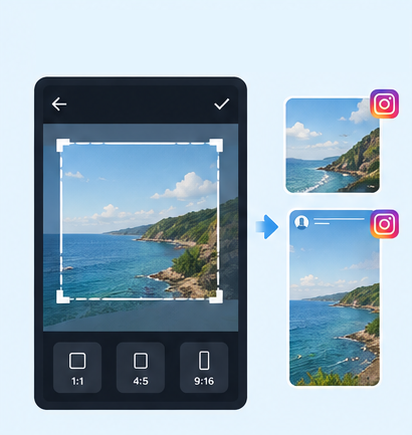
IG Post/Story Resize
Threads Post Image
Shopee Main/Product Image

2-Inch ID Photo
Passport Photo

Resume Photo
IG Grid Maker
Multi-Platform Resizer
LINE Rich Menu
Facebook Image Resizer

LinkedIn Profile/Banner Resizer
Amazon Product Image Resizer
Shopify Product Image Resizer
Etsy Image Resizer
eBay Product Image Resizer
Rakuten Product Image Resizer
Mercari Product Image Resizer
Image Compressor
Image Format Converter

Image Watermark

Add Border to Image
Photo Collage Maker

Image Mosaic

Blur Faces

Blur License Plates
Free YouTube Thumbnail Resizer|Resize Thumbnails & Banners Online
Need to quickly adjust your YouTube thumbnail size without recreating the image? With GenApe AI tools, you can switch between YouTube thumbnails, Shorts covers, channel banners, and profile picture sizes, freely reposition and scale your image, then download it as PNG, JPG, or WebP for different YouTube placements.
How to Use the YouTube Thumbnail Resizer
Use GenApe to resize a YouTube thumbnail in just a few steps: upload your image, choose the right YouTube size preset, and adjust the framing. There is no need to manually enter width and height values.
1. Upload the Image You Want to Resize
Select the image you want to crop and upload it to GenApe to open the YouTube image resizing interface.
2. Choose a YouTube Size Preset
Select a preset for a YouTube thumbnail, Shorts cover, channel banner, or profile picture. GenApe applies the corresponding YouTube aspect ratio automatically, so you do not need to look up or enter image dimensions yourself.
3. Adjust and Download for Free
Move or scale the image to keep the main subject, text, and logo in the right position, then crop and download it. GenApe supports PNG, JPG, and WebP, so you can choose the format that best fits your needs.
Quickly Resize Images for Different YouTube Sizes
GenApe brings common YouTube image sizes together in one tool, so you do not need to check dimensions or switch between different websites. From video thumbnails to channel banners, simply choose the placement, adjust the image, and finish resizing.

Resize YouTube Thumbnails, Banners, Shorts, and Profile Pictures in One Place
Use one tool to resize YouTube video thumbnails, channel banners, Shorts covers, and profile pictures. You can also reuse the same visual across different YouTube placements by switching sizes and adjusting the crop. If you do not have an image yet, use the YouTube thumbnail generator to create one.

Freely Adjust YouTube Image Size and Aspect Ratio
After uploading an image, move, zoom in, or zoom out within the crop area to keep people, products, text, or logos in the right position. This helps prevent important content from being cut off when switching between different YouTube image sizes and aspect ratios.

Match YouTube Size Requirements
GenApe includes preset dimensions and aspect ratios for different YouTube placements. In addition to thumbnails, you can resize YouTube banners and channel profile pictures without manually entering width and height values.

Free to Use with No Watermark
GenApe's YouTube image resizer is free to use, and no watermark is added to your resized image, so your original design and visual content stay intact.

No Sign-Up Required with Multiple Download Formats
Resize images directly without creating an account or signing in. When finished, download your image as PNG, JPG, or WebP based on the type of image and how you plan to use it.
YouTube Thumbnail, Banner, Shorts & Profile Picture Size Chart
| YouTube Image Type | Recommended Aspect Ratio & Crop Size | Best Used For |
|---|---|---|
| YouTube Video Thumbnail | 16:9/ 1280 × 720 px | Standard YouTube Video Thumbnail |
| YouTube Shorts Cover | 9:16/ 1080 × 1920 px | Vertical YouTube Shorts Video |
| YouTube Channel Banner | 16:9/ 2560 × 1440 px | YouTube Channel Header |
| YouTube Profile Picture | 1:1/ 800 × 800 px | YouTube Channel Profile Picture |
※If you want to use the same image for a video thumbnail, Shorts cover, channel banner, or profile picture, adjust the crop for each aspect ratio to keep important text, people, and logos from being cut off.
※Because YouTube banners display differently across devices, keep important content within the central 1546×423 px safe area. See FAQ 4 below for details.
YouTube Image Resizing FAQs
Yes. GenApe's YouTube image resizer is free to use. Upload an image and resize it for a YouTube thumbnail, Shorts cover, channel banner, or profile picture without paying for basic resizing and downloads.
No. GenApe is an online YouTube image resizer, so you can upload an image, resize it to the right YouTube banner size, and download the result directly in your browser without creating an account or installing software.
Resizing or cropping a YouTube thumbnail only changes the image dimensions, aspect ratio, and framing. It does not affect the quality of the video uploaded to YouTube. However, enlarging a low-resolution source image too much may make the thumbnail look blurry.
Yes, as long as you choose the correct preset for your intended placement. YouTube thumbnails, Shorts covers, channel banners, and profile pictures use different aspect ratios, so check the position of your text, logo, and main subject before downloading. For YouTube banners, display areas vary across devices, so keep important content such as your channel name, logo, and tagline within the central 1546×423 px safe area.
Yes. You can apply different presets to the same image for a YouTube thumbnail, Shorts cover, channel banner, and profile picture, then reposition or scale the image for each aspect ratio to keep the same visual style across your channel.
GenApe currently supports PNG, JPG, and WebP downloads. Choose the format based on your image and use case. JPG works well for standard photos, while PNG or WebP can be selected for graphics with text, logos, or other design elements.

