Passport Photo
Quickly crop a passport-size photo
Import image & size settings
Click or drag to add an image
This tool only helps crop to the recommended size and ratio — it does not guarantee full compliance with official passport photo requirements. Please verify background color, lighting/shadows, hair covering the face, and looking straight at the camera yourself, and follow the latest official guidance from the relevant passport authority.
Other cropping tools
IG Post/Story Resize
Threads Post Image
Shopee Main/Product Image
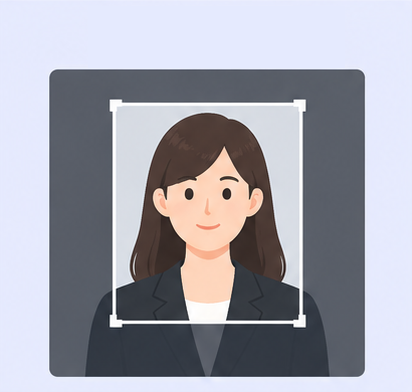
2-Inch ID Photo
Resume Photo
IG Grid Maker
Multi-Platform Resizer
LINE Rich Menu
YouTube Thumbnail & Banner Resizer
Facebook Image Resizer
LinkedIn Profile/Banner Resizer
Amazon Product Image Resizer
Shopify Product Image Resizer
Etsy Image Resizer
eBay Product Image Resizer
Rakuten Product Image Resizer
Mercari Product Image Resizer
Image Compressor
Image Format Converter
Image Watermark
Add Border to Image
Photo Collage Maker
Image Mosaic
Blur Faces
Blur License Plates
Free U.S. Passport Photo Cropper | 2×2-Inch Photo Size
Getting a U.S. passport photo ready starts with the right size and framing. Use GenApe’s free online cropper to adjust your photo, then check the requirements for your application method. Paper applications need a 2×2-inch print. If you qualify to renew online, keep your original digital photo for upload and use the cropping controls in the official application.
What Size Is a U.S. Passport Photo?
U.S. passport photo requirements call for a 2×2-inch (51×51 mm) printed photo, with your head measuring 1 to 1⅜ inches (25–35 mm) from chin to top of head. Use a color photo taken within the last six months. Before preparing your file or print, review the official U.S. Department of State passport photo requirements:
| Requirement | U.S. Passport Photo Standard | What to Check |
|---|---|---|
| Printed photo size | 2×2 inches (51×51 mm) | Use a square photo; do not substitute a 35×45 mm template |
| Head size | 1 to 1⅜ inches (25–35 mm), measured from chin to top of head | Center your head and check the proportions on the final print |
| Background | Plain white or off-white, without shadows, texture, or objects | Use even lighting; retake the photo if the background is unsuitable |
| Face and eyes | Full face visible, both eyes open, mouth closed, and no head tilt | Remove glasses unless you have a medical reason documented by your doctor |

Crop a Passport Photo in 3 Steps
Use the cropper to adjust framing without learning Photoshop. First check that the available preset supports the U.S. square format and the required head proportions; a 35×45 mm template is not interchangeable with a 2×2-inch photo. Keep your original file for online renewal and crop it within the official application. Do not retouch your face, replace the background, or use filters to change your appearance.

Upload Your Photo
Upload a clear original photo for free. No installation or registration is required.
Adjust the Framing
Check the preset, center your head, and adjust the crop to the required proportions.
Download and Check
Download your image and inspect its clarity. For paper applications, check the final printed dimensions. For online renewal, use your original file and the official application’s cropping controls.
Can You Take and Print Your Own Passport Photos?
Yes. Ask someone to take your photo rather than taking a selfie, and check the background, lighting, and framing. For a paper application, you can print the photo at home or use a photo-printing service. Eligible online renewals require an original digital photo instead; do not scan or photograph a printed copy for upload.
Where to Print Your Passport Photos
Print your photos at home or through a local photo-printing service using matte or glossy photo-quality paper. For a 4×6-inch layout, turn off automatic resizing and check that each photo prints at 2×2 inches, with a head height of 1 to 1⅜ inches.
This tool does not guarantee acceptance; the U.S. Department of State makes the final decision.

Passport Photo Sizes by Country
Passport photo sizes vary by country. The reference table below shows printed photo dimensions; it does not describe visa or online-upload specifications. Check the issuing authority’s instructions for the exact document and application method before choosing a template.
| Country / Region | Printed Photo Size |
|---|---|
| Taiwan | 3.5×4.5 cm (Taiwan’s local “2-inch” format) |
| Japan | 4.5 cm high × 3.5 cm wide |
| China | 33×48 mm |
| United States | Square: 2×2 inches (51×51 mm) |
| Canada | 50×70 mm |
| Australia | 35–40×45–50 mm |
| South Korea | 3.5×4.5 cm |
| Singapore | 3.5×4.5 cm |
| Malaysia | 35 x 50 mm |
| EU Schengen Countries + United Kingdom | 3.5×4.5 cm |
U.S. Passport Photo FAQs
Does a U.S. passport photo have to be 2×2 inches?
Yes. A printed photo submitted with a paper U.S. passport application must measure 2×2 inches (51×51 mm). Your head must measure 1 to 1⅜ inches (25–35 mm) from chin to top of head. A 35×45 mm photo is a different format. If you qualify to renew online, follow the digital-photo upload instructions instead of preparing a print.
Can I take and print my own passport photos?
Yes. Have someone take a recent color photo against a plain white or off-white background, with even lighting and no filters or retouching. For paper applications, print it on matte or glossy photo-quality paper and check the final dimensions. For online renewal, upload an original digital photo rather than a scan or a photo of a print. The upload page lists JPG, JPEG, PNG, HEIC, and HEIF files between 54 KB and 10 MB.
Can I enlarge an existing portrait into a passport photo?
Only if the original meets the photo requirements and stays clear at the required size. It must have been taken within the last six months and show the correct pose and background. Enlarging a small face can produce blur or pixelation; changing the DPI setting does not restore detail. Retake the photo if the original cannot produce a clear, correctly framed image.
Can I wear glasses in a U.S. passport photo?
Generally, no. Remove eyeglasses, sunglasses, and tinted glasses, and do not leave them resting on your head. If you cannot remove your glasses for medical reasons, include a signed note from your doctor with your application. Do not digitally remove glasses or edit your eyes to make the photo look acceptable.
Are bangs allowed in a U.S. passport photo?
Bangs are fine as long as they do not cover your eyes or obscure your face. Move hair away from your eyes, face the camera directly, and keep your head upright. Make sure your full head is shown at the correct size. If hair blocks your face or creates shadows, adjust it and retake the photo instead of editing the image.
Try GenApe’s Free Online Passport Photo Cropper
Upload a photo and adjust the framing without signing in. Check that the available preset matches your application requirements, then inspect the downloaded image before printing.
Try It Free
